How to make a first call in Cloud PBX


- Make sure that you have user created, create the user if necessary
- Make sure that your user has device assigned, assign deice to the user or create a device if necessary
- You may use phones Auto Provisioning for selected models, please see here: How to use Phones Auto Provisioning
- Program your VoIP phone, ATA or softphone with device settings (More devices guidelines and downloads are here):
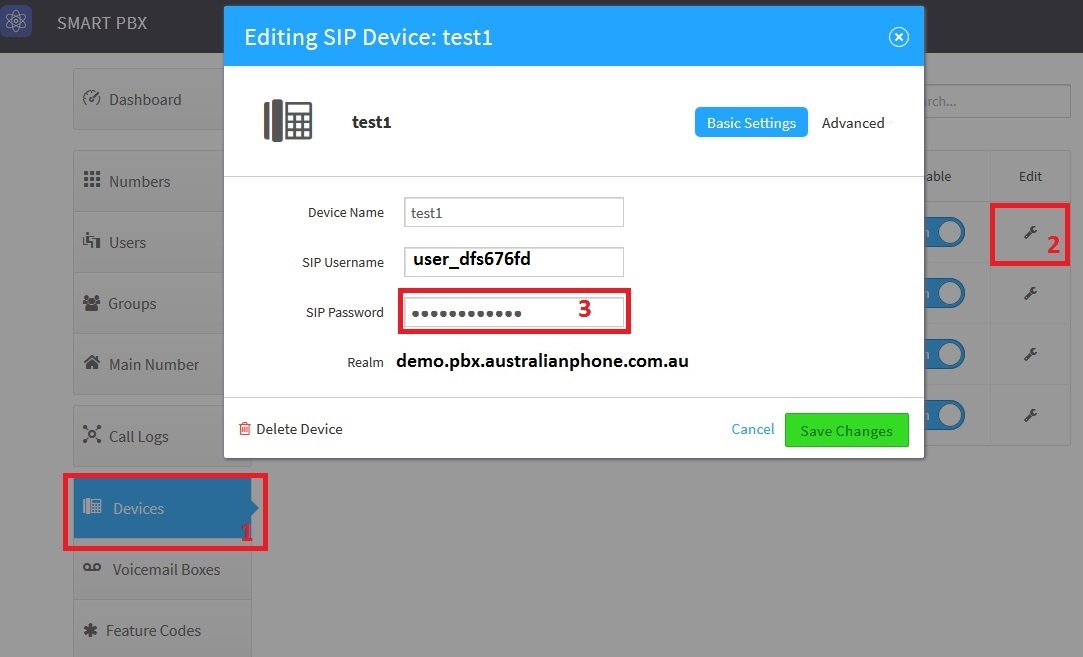
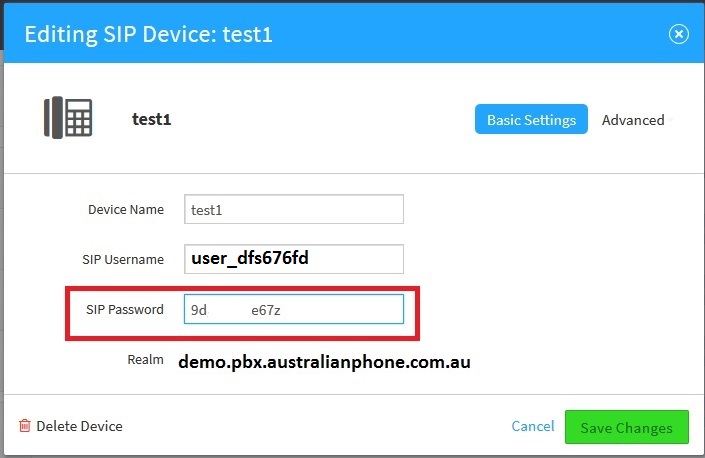
4. Use credentials to register softphone on PBX :
- Use SIP Username for all fields: User ID, Display Name, Autorisation Name
- Copy - past SIP Password to Password field
- In SIP domain, or registrar you must to use only realm (no IP is allowed), otherwise, the device will not be registered!

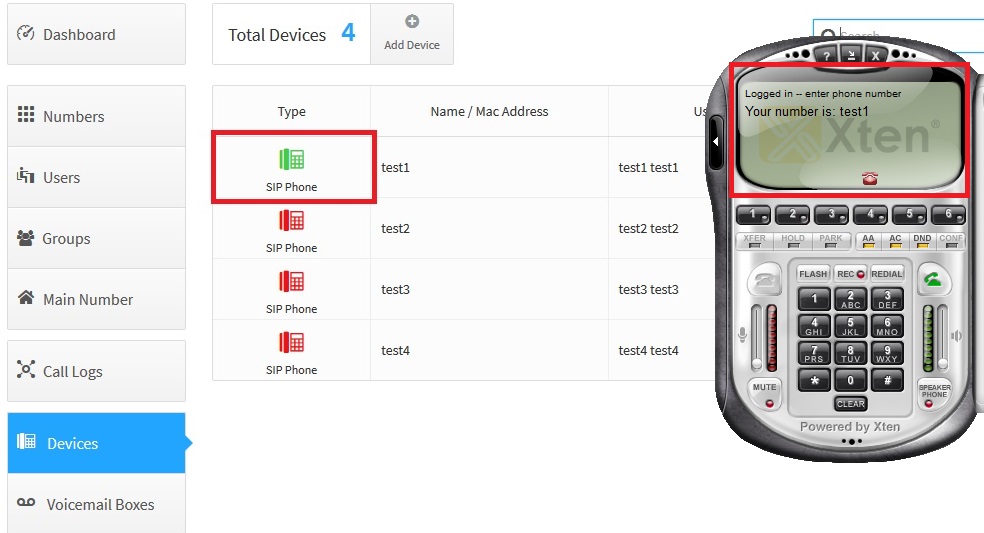
5. Registered devices are displayed in GREEN colour, not registered in RED.
6. Call to free test 09002 number to check the sound